
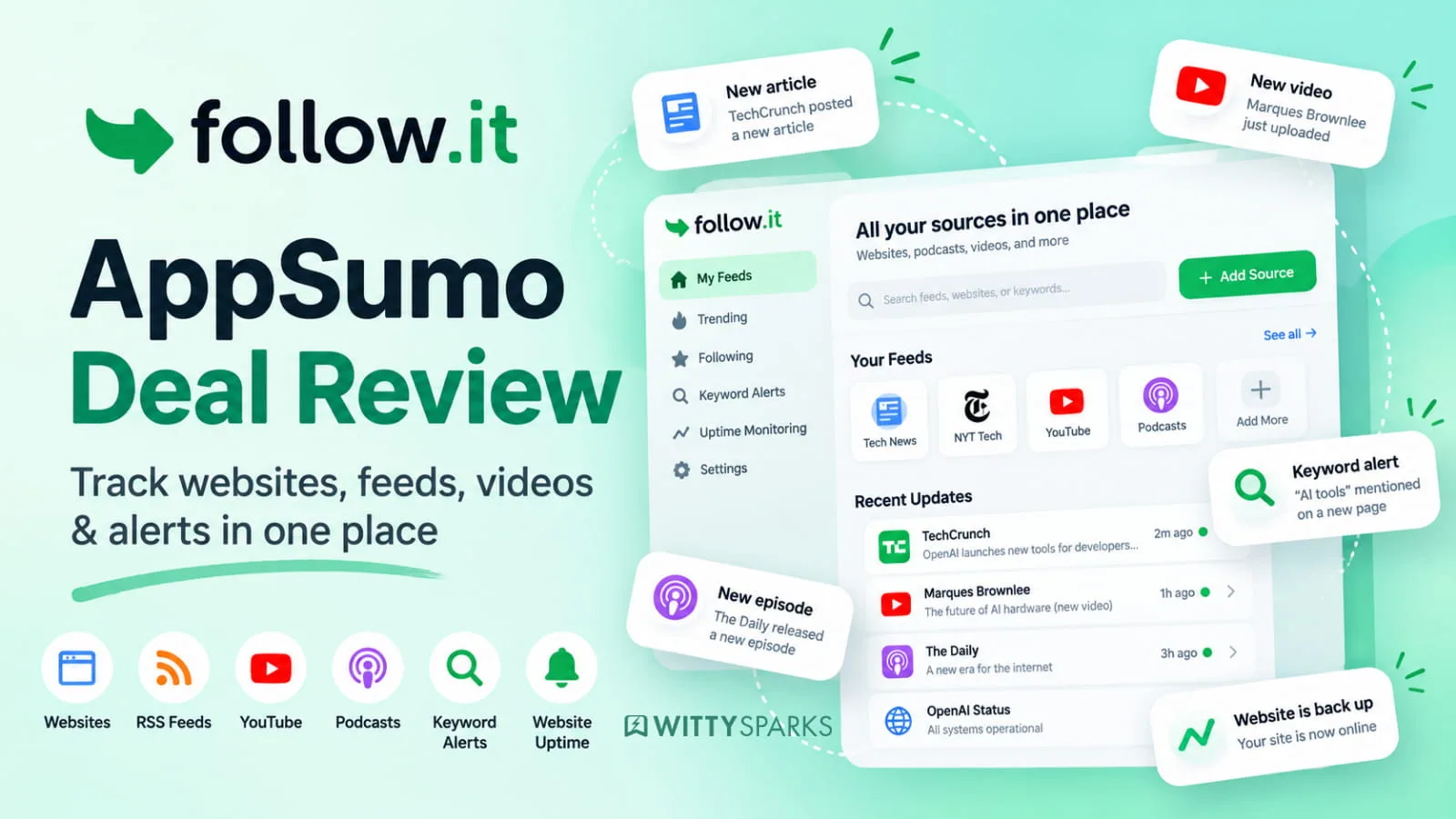

There is no shortage of sources competing for attention. Websites publish new articles, YouTube channels upload videos, podcasts release episodes, competitors change pages, and important website issues can happen quietly in the background.
The real problem is not finding more information. It is staying on top of the information that actually matters without opening ten different apps every day.
On this page
That is where follow.it comes in. It is a monitoring and alert platform that lets you follow websites, RSS feeds, YouTube channels, podcasts, social sources, keyword mentions, and technical website signals in one place.
follow.it is now offering a lifetime deal on AppSumo, starting at $49. That makes the key question simple: is it worth buying for long-term access, or is a regular RSS reader or specialised monitoring tool the better choice?
In this review, we look at what follow.it does, who it is useful for, and whether the AppSumo deal is worth considering. Instead of checking sources manually, users choose what to track and receive updates by email, browser, or in the follow.it dashboard.
follow.it at a glance
| Category | Details |
|---|---|
| Product type | Information monitoring and alert platform |
| Best for | Professionals, creators, marketers, agencies, website owners, and research-heavy teams |
| Main use | Follow content and important website signals in one place |
| Monitoring sources | Websites/RSS, YouTube, podcasts, social sources, keywords, WordPress, uptime, SSL, broken links, and more |
| Delivery options | Email, dashboard, browser, and other supported channels |
| AppSumo deal | Lifetime access, starting at $49 |
| Refund policy | 60-day money-back guarantee through AppSumo |
What is follow.it?
follow.it started as a way to follow websites and RSS feeds without relying on traditional feed readers alone. It has since grown into a broader platform for keeping track of content, mentions, updates, and website health.
At its core, it answers a simple question: what needs attention today?
You can follow a publication, a blog, a YouTube channel, or a podcast. You can also set up practical monitoring feeds, such as alerts when a website is unavailable, an SSL certificate is about to expire, a WordPress plugin has an update, or a page develops broken links.
That combination makes follow.it more flexible than a standard RSS reader. It is not only about reading new posts. It is about creating a personal stream of relevant updates and alerts.
How does follow.it work?
The setup follows a straightforward process:
- Find or add a source to follow.
- Choose what should trigger an update.
- Filter the feed if only certain topics matter.
- Decide how and when to receive notifications.
For example, a marketer could follow industry publications, a few competitor blogs, YouTube channels, and brand mentions. A website owner could add uptime, SSL expiry, broken-link, and WordPress update alerts. A researcher could track specific keywords across relevant sources.
The result is a single dashboard instead of a collection of disconnected tabs, newsletters, and reminders.
Key follow.it features
1. Follow websites and RSS feeds
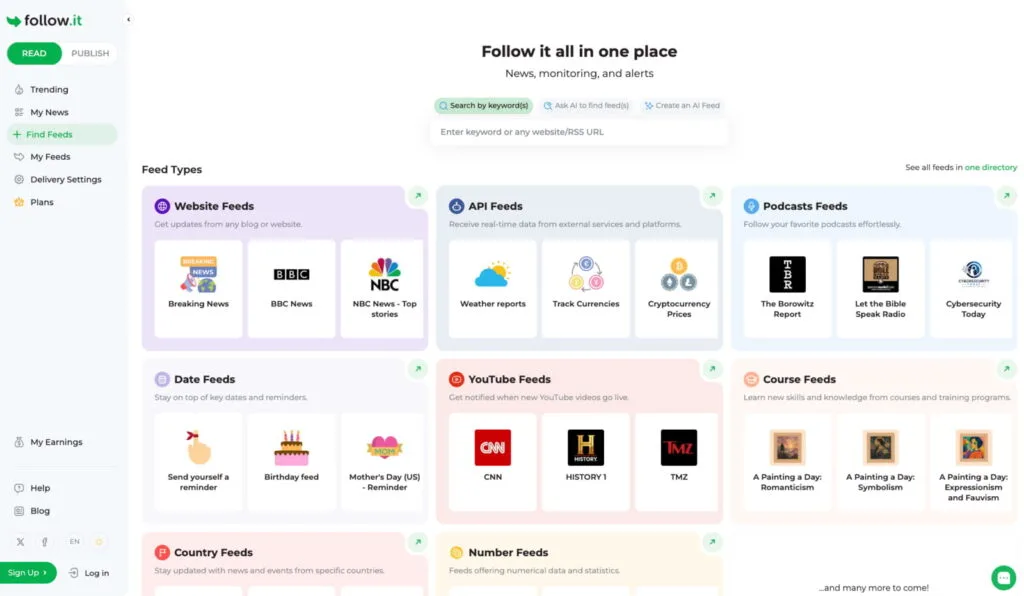
The most familiar use case is following websites. Add a URL or browse the feed directory, then receive new posts as they are published.
This is useful for blogs, news sites, company announcements, niche publications, and any website with an RSS feed. It offers a practical alternative to subscribing to dozens of newsletters or repeatedly checking bookmarked pages.
2. Follow YouTube channels and podcasts
For people who learn from video and audio content, follow.it can monitor YouTube channels and podcasts alongside written sources.
That matters because useful information is increasingly scattered across formats. A product update may arrive in a blog post, an expert opinion may appear in a video, and an industry discussion may happen on a podcast. follow.it brings those sources into the same monitoring workflow.
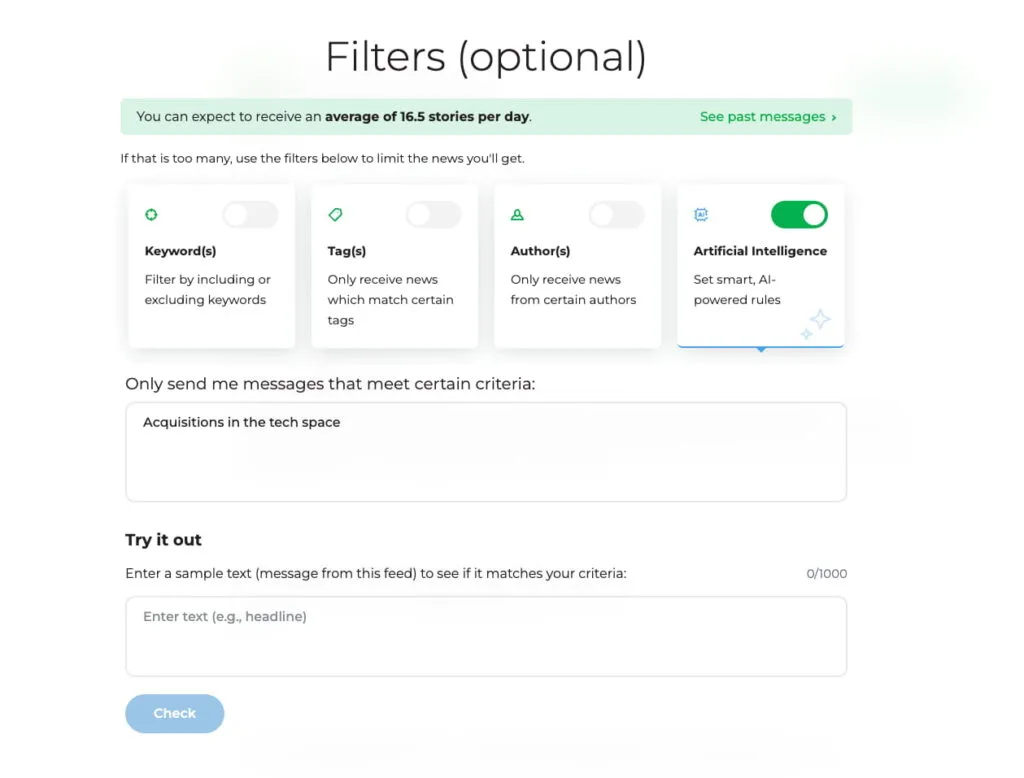
3. Filter updates with AI and rules
Following a source only helps if the updates stay relevant. follow.it lets users filter feeds so that they receive only the stories or items that matter.
Users can describe what they want in plain language with AI, or use more specific conditions where appropriate. For example, someone could follow a technology publication but receive only stories about WordPress security, AI tools, or a particular company.
This is one of the most useful parts of the platform. Without filtering, monitoring can quickly turn into another source of information overload.
4. Monitor website uptime, SSL expiry, and broken links
follow.it also goes beyond content monitoring with practical technical alerts.
Website owners and agencies can track whether a site is down, whether an SSL certificate is approaching expiry, and whether pages contain broken links. These are issues that can damage trust, conversions, search visibility, or simply create avoidable support work.
Rather than checking each item manually, users can receive an alert when something needs attention.
5. Track WordPress updates
WordPress professionals can track core, plugin, and theme updates. This is particularly useful for agencies, freelancers, and site owners who manage multiple sites or need to keep an eye on plugins that may introduce security fixes or compatibility changes.
6. Follow topics and mentions
follow.it includes feeds for tracking topics and keywords across supported sources. This can help with competitive monitoring, research, reputation management, content ideas, and staying current in a fast-moving niche.
For example, a founder could track their brand, competitors, industry terms, and relevant product launches instead of searching manually every week.
Who is follow.it best for?
follow.it will be most useful for people who have multiple sources and signals to monitor, but do not want to maintain a complicated stack of separate tools.
It is especially relevant for:
- Marketers and content teams following industry news, competitors, mentions, and content opportunities.
- Website owners and agencies monitoring uptime, SSL certificates, broken links, and WordPress updates.
- Creators and researchers following websites, YouTube channels, podcasts, and niche topics.
- Founders and operators who want a simple way to monitor competitors, product news, and important online signals.
- News enthusiasts who want to keep up with specific topics without being flooded by generic news feeds.
What I would test before buying?
The value of follow.it depends on the sources and alerts a person actually needs. Before committing, I would test the exact monitoring workflow that matters most:
- Can it find the websites, channels, and podcasts you follow?
- Are the filters accurate enough to reduce irrelevant updates?
- Are the available notification channels suitable for your routine?
- Do the technical monitoring feeds cover the websites you manage?
- Does the dashboard make it easier to act on updates, rather than simply collecting them?
The good news is that AppSumo buyers have 60 days to test the product, backed by AppSumo’s money-back guarantee. That should be enough time to see whether the feeds, filters, and alerts genuinely improve the daily workflow.
follow.it AppSumo deal: what do you get?
The AppSumo lifetime deal starts at $49. The exact limits and available features vary by tier, so buyers should check the live AppSumo page before purchasing. Every purchase has AppSumo’s 60-day money-back guarantee, giving buyers time to test the platform properly before deciding to keep it.
The key appeal is clear: instead of paying an ongoing monthly fee for a monitoring platform, users can secure long-term access for a one-time payment.
For anyone who regularly follows many sources or manages websites, this can be compelling. A single overlooked SSL expiry, broken link problem, or competitor update can be more costly than the deal itself.
Pros and cons
Pros
- Combines content following and website monitoring in one platform.
- Supports more than standard RSS feeds, including YouTube, podcasts, keywords, and technical alerts.
- AI filtering can make high-volume sources more manageable.
- Useful for both personal information tracking and professional monitoring.
- AppSumo lifetime pricing can be strong value for long-term users.
Possible limitations
- The platform is most valuable when it is set up thoughtfully; following too many sources without filters can still create noise.
- Users who want a simple, offline-style RSS reader with no alerts may find a dedicated reader sufficient.
- Some advanced monitoring workflows may require a higher AppSumo tier, depending on the limits on the live deal page.
follow.it alternatives
follow.it overlaps with several categories of tools, but it is not a direct clone of any one of them.
- Feedly and Inoreader are strong choices for reading and organizing RSS content. follow.it is more focused on alerts and combines content feeds with additional monitoring sources.
- Google Alerts is useful for basic keyword tracking, but it does not provide the same breadth of source types or website-health monitoring.
- UptimeRobot and Better Uptime specialize in website uptime monitoring. follow.it can be attractive for users who also want to follow content, updates, and other website signals from the same account.
- Visualping focuses on page-change monitoring. follow.it is broader when the goal includes RSS, social, video, podcast, and technical monitoring.
The best choice depends on whether someone needs one specialised tool or prefers a central place for several types of updates.
Final verdict: is the follow.it AppSumo deal worth it?
follow.it is worth a close look for anyone who regularly asks, “How can I keep track of all this without spending my day checking websites?”
Its strongest point is the combination of content tracking and practical monitoring. You can follow industry publications and YouTube channels, while also getting alerts for website downtime, SSL expiry, broken links, or WordPress updates.
The AppSumo deal is likely to be most attractive for marketers, agencies, website owners, founders, researchers, and information-heavy professionals who expect to use the platform over time. At a one-time price starting at $49, it can be a sensible purchase if the sources and alerts fit an existing workflow.
Before buying, check the live tier limits and run the monitoring tasks that matter most. If follow.it replaces even a few manual checks each week, the deal can pay for itself quickly.
Check the follow.it AppSumo deal here →
FAQs
What is follow.it used for?
follow.it is used to follow websites, RSS feeds, YouTube channels, podcasts, topics, keyword mentions, and selected website-monitoring signals from one place.
Can follow.it monitor websites?
Yes. follow.it offers monitoring feeds for signals such as website uptime, SSL expiry, broken links, and WordPress updates.
Is follow.it just an RSS reader?
No. RSS following is an important part of the product, but follow.it also supports other content sources, filtering, keyword monitoring, and technical website alerts.
Who should consider the follow.it AppSumo deal?
The deal is most relevant for people who monitor several websites, sources, topics, or web properties and want to consolidate that work into one platform.

Read more from Marketing