

A transactional email API is a service your application calls to send triggered messages, like password resets, receipts, and shipping updates, and to get delivery data back in return. The best transactional email API for a growing SaaS product depends less on raw send volume and more on how much deliverability work you’re willing to own yourself.
In 2026, three providers come up in this decision more than any others: Mailtrap, Twilio SendGrid, and Postmark. We compared all three on stream separation, authentication management, developer experience, and pricing at the volumes most teams actually send.
On this page
Quick Comparison
| Mailtrap | Twilio SendGrid | Postmark | |
|---|---|---|---|
| Best for | High deliverability with modern dev experience | Multi-channel sending under one Twilio account | Transactional delivery speed |
| Stream separation | Native | Manual | Native |
| Free tier | Free tier 4,000 emails/month, no expiry | 60-day trial (100/day) | 100 emails/month, no expiry |
| Starting paid plan | $15/month | $19.95/month | $15/month |
| Dedicated IP | Included (Business) | Included (Pro) | Add-on (Pro+) |
- Choose Mailtrap if you want native stream separation, automatic DKIM rotation, and analytics without assembling the pieces yourself.
- Choose Twilio SendGrid if your team already runs SMS or voice through Twilio and wants email on the same account.
- Choose Postmark if transactional delivery speed is the priority and you don’t mind a plan-based rate that now also covers marketing sends if you need them.
Mailtrap: Best for High Deliverability
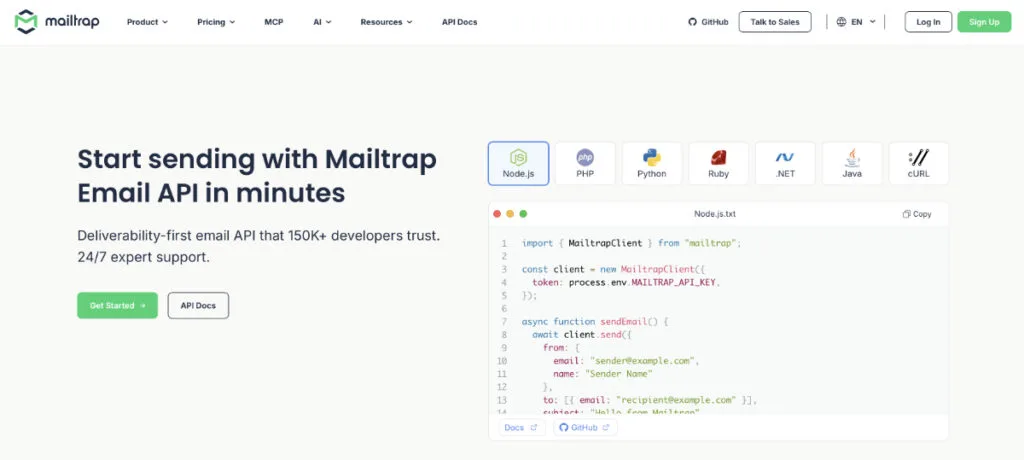
Mailtrap Email API service is built for developers and product teams that need transactional email to reliably land in the inbox. Its core architecture keeps transactional traffic isolated from bulk and marketing sends by default, on every plan including free.
Key features
Eight official SDKs cover Node.js, PHP, Ruby, Python, Java, .NET, Go, and Elixir, with Laravel and Symfony integrations built on top of the PHP SDK. Setup from account creation to a working production send takes about five minutes.
Inbound email works without any DNS configuration: messages land in a hosted inbox and arrive as structured JSON through the same API token you already use for sending. That’s useful for email parsing use cases like routing support replies or threading conversations inside your own app.
Teams building with AI coding tools get an official MCP server covering sending, templates, sending domains, and account management, plus seven agent skills that give coding assistants accurate context for authentication and domain setup.
Webhooks cover delivery, open, click, bounce, and spam complaint events, with 40 retries every five minutes. Paid plans include drill-down log data by mailbox provider, domain, and sending stream.
Deliverability and authentication
SPF, DKIM, and DMARC configure automatically once the DNS records are added. DKIM keys rotate every month without manual input, which matters more than it sounds: stale keys are one of the quieter reasons inbox placement drops weeks after a setup looked fine. Mailtrap holds ISO/IEC 27001, SOC 2 Type II, and GDPR certifications, backed by a 99.99% uptime SLA.
Pricing
The free plan covers 4,000 emails a month, permanently, with no credit card required. Paid plans start at $15/month for 10,000 emails. The Business plan at $85/month covers 100,000 emails, a dedicated IP with automatic warmup, SSO, and 24/7 priority support, with 15-day log retention (30 days on Enterprise).
Twilio SendGrid: Best for Multi-Channel Sending
Twilio SendGrid is an email API for teams that want sending managed under the same account as Twilio’s SMS, WhatsApp, and voice products. For teams already committed to Twilio, consolidating channels removes a vendor and simplifies billing.
Key features
Official SDKs cover Node.js, PHP, Python, Ruby, Java, Go, and C#. Dynamic templates use Handlebars for server-side personalization, with both drag-and-drop and raw HTML editor options. Stream separation isn’t part of the core architecture. Teams that need transactional and bulk traffic isolated set that up themselves through IP pools or subuser accounts.
Deliverability and authentication
SPF, DKIM, and DMARC are supported, but they require manual setup and ongoing maintenance rather than automatic rotation. SendGrid holds SOC 2 Type II certification and is GDPR compliant.
Pricing
There’s no permanent free tier. New accounts get a 60-day trial capped at 100 emails a day. Essentials starts at $19.95/month for 50,000 emails on shared IPs. Pro runs $89.95/month for 100,000 emails and includes a dedicated IP. Email API and Marketing Campaigns bill as separate products, so teams using both pay twice.
Postmark: Best for Delivery Speed
Postmark built its reputation on one outcome: getting transactional email into the inbox fast. New accounts go through a manual review before live sending opens, which is part of what keeps its shared IP pools clean.
Postmark has also grown past pure transactional sending, now supporting email marketing and broadcast campaigns on the same message-stream architecture, though transactional delivery is still where it’s strongest.

Key features
Message Streams keep transactional, broadcast, and inbound traffic on separate infrastructure, so a bulk send that trips spam complaints doesn’t touch your password reset stream. Official SDKs cover Node.js, PHP, Python, Ruby, .NET, Java, and Go. Bounce classification is granular, with hard bounces, soft bounces, transient failures, and spam complaints tracked separately.
Deliverability and authentication
SPF, DKIM, and DMARC are fully supported, with manual key management. Postmark is SOC 2 Type II and GDPR compliant.
Pricing
The free plan covers 100 emails a month with no expiry. Paid plans moved to a flat structure this year: Basic at $15/month, Pro at $16.50/month, and Platform at $18/month, all starting at 10,000 emails, with lower overage rates on each higher tier. At higher volumes, those overage charges add up faster than a flat per-tier price would suggest.
Deliverability and Authentication Compared
| Mailtrap | Twilio SendGrid | Postmark | |
|---|---|---|---|
| Stream separation | Native | Manual | Native |
| DKIM rotation | Automatic | Manual | Manual |
| Dedicated IP warmup | Automatic | Manual | Not on entry plans |
| Log retention | 5-30 days | Varies by plan | 45 days |
| Analytics included | Yes | Plan-dependent | Yes |
Stream separation is the biggest architectural split here. Mailtrap and Postmark handle it natively, so a marketing blast can’t damage your transactional sender reputation. SendGrid requires configuring IP pools or subuser accounts yourself, and how well that isolates your traffic depends entirely on how carefully it’s set up.
DKIM rotation is the detail most teams forget once launch week is over. Mailtrap is the only one of the three that rotates keys automatically, and stale keys are a documented cause of inbox placement quietly dropping weeks after everything looked fine.
Pricing Compared
| Mailtrap | Twilio SendGrid | Postmark | |
|---|---|---|---|
| 10K emails/month | $15 | $19.95 (50K minimum) | $15 (Basic) |
| 100K emails/month | $85 | $89.95 (Pro) | Roughly $125–$180 with overage |
| Dedicated IP | Included (Business) | Included (Pro) | Add-on (Pro+) |
At the 100K tier, Mailtrap and Twilio SendGrid land within a few dollars of each other, and both bundle a dedicated IP at that price. Postmark’s flat per-tier pricing looks cheap at 10,000 emails, but its overage rates push the real cost of 100,000 emails well past what Mailtrap or SendGrid charge, and a dedicated IP still isn’t part of the base plans at all.
Final Verdict
Mailtrap, Twilio SendGrid, and Postmark all send transactional email reliably, but they’re built around different priorities. Mailtrap comes with the most included at the mid-tier: native stream separation, automatic DKIM rotation, and a dedicated IP at the 100K mark, without assembling any of it yourself.
Postmark earns its reputation when delivery speed genuinely can’t slip, and its move into marketing sends adds flexibility if you want that under the same roof.
Twilio SendGrid makes the most sense for teams already standardized on Twilio for SMS or voice. Match the provider to how your team actually operates, not to whichever one ranks first in a search.
Frequently Asked Questions
What’s the difference between an SMTP relay and an email API?
SMTP is the protocol email travels on. An email API adds an HTTP layer on top of it, with template management, delivery analytics, and webhook events built in. All three providers here support both, but the API is the simpler integration path for most applications.
Which email provider is easiest to set up?
Mailtrap is generally the fastest, with a production-ready send in about five minutes and DNS records validating automatically. Twilio SendGrid usually takes 10 to 15 minutes. Postmark requires a manual account review before live sending opens, which adds at least a business day no matter how quickly you configure DNS.
When does a dedicated IP actually matter?
Shared IP pools work fine for most senders because the provider manages the pool’s reputation. A dedicated IP earns its cost once volume is high enough, or once you need your sender reputation fully separated from other tenants. Mailtrap includes one with automatic warmup on the Business plan, SendGrid includes one on Pro, and Postmark doesn’t offer one on its entry-level plans.

Read more from Email Marketing